Music Player - Audio Player
Mobile_V5Music & Audio
4.736.61K Reviews
- Version
- 8.1.3
- Installs
- 100.00M
- Age Rating
- Everyone
Screenshots
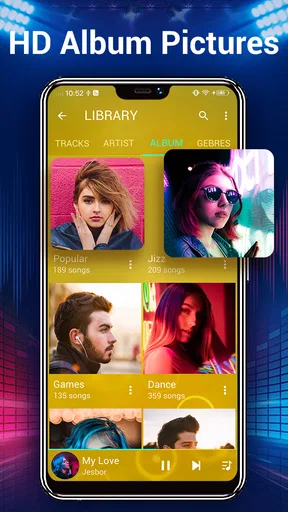
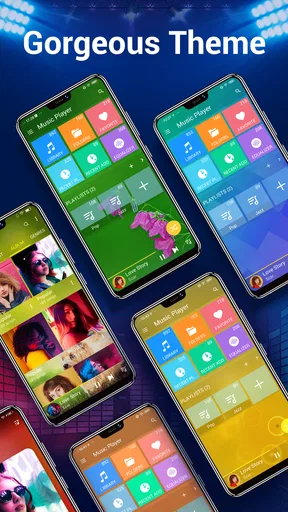
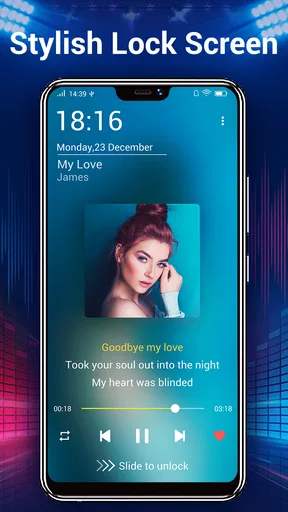
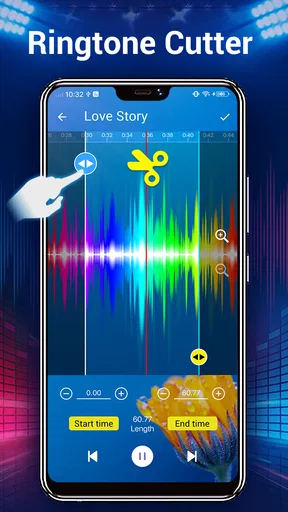
Our Review of Music Player - Audio Player
 Analysis by Appyee
I reach for a music player when I want to hear audio I already have, not browse a streaming catalogue or manage another subscription. That distinction is the first thing to consider with Music Player - Audio Player: it is a free music and audio app from Mobile_V5, built around playing music and adjusting how it sounds. If your routine starts with a personal collection and a tap on Play, that focus may suit you better than an app designed around discovery.
Start with the way you listen
Before switching players, I’d ask two practical questions: where does your music come from, and how much do you want to change the sound? This app’s appeal is clearest if you already keep audio on your device and want playback controls, an equalizer, bass boost, or sound-changing options in one place. It is less compelling if your main goal is to search a streaming library, follow curated recommendations, or keep a cloud-based collection in sync.
That difference also helps set expectations. A local-library player and a streaming service solve related but distinct problems. The former is about making your own tracks easy to play; the latter is usually about finding music you do not already own or have stored. I would choose based on that daily habit rather than assuming every app called a music player offers the same kind of listening.
Where the controls earn their place
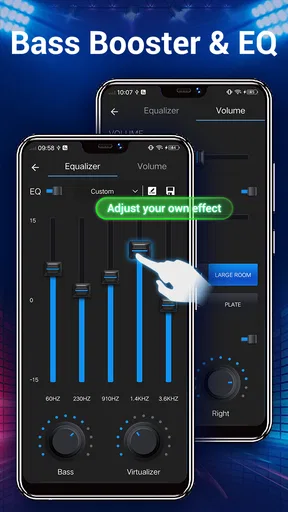
The most useful reason to try this player is the chance to shape playback without turning listening into a technical project. An equalizer can help when a familiar song sounds too thin through one set of headphones or overly heavy through another. I’d make small adjustments, listen to a few different tracks, and avoid judging a setting from a single song: a change that flatters a bass-led track can muddy a vocal recording.
Bass boost and sound-changing controls invite experimentation, but I would treat them as optional tools, not automatic improvements. A little extra low end can make a commute playlist feel livelier; too much can blur detail. If you switch between earbuds, a car stereo, and a speaker, it is worth checking the result on each rather than assuming one setting works everywhere. The useful habit is to adjust for the listening setup, then return to a neutral sound when the change stops helping.
For a realistic routine, imagine getting ready in the morning with a few saved albums, then listening on the way out and later winding down at home. A player focused on your own tracks can keep that simple: choose music you already know, tune the sound for the current headphones, and use a sleep timer when you do not want playback to continue all night. That is a more grounded benefit than expecting the app to decide what you should hear next.
When another kind of player makes more sense
If discovering unfamiliar artists is the main reason you open a music app, a streaming service with search, recommendations, and a broad catalogue is likely a better fit. If you want a minimal player and never touch sound controls, a simpler option may feel less busy. And if you rely on syncing a library across devices, make sure the alternative you choose supports the way you organize and access your collection; a local player is not automatically a complete music-management system.
There is also a trade-off between customization and consistency. Sound adjustments can be welcome when a particular recording or pair of headphones needs help, but they add another choice to the listening process. I would not recommend spending time chasing a perfect preset if you mostly want to press play and forget about the controls. For that listener, the value depends on whether the extra options stay useful rather than becoming one more thing to manage.
Switching without disrupting your routine
Changing players is usually less about learning a new button layout and more about checking that your listening habits carry over. Before making this your everyday choice, try a few familiar tracks, confirm that the playlists you care about are easy to use, and test playback with the audio you actually keep. That quick trial can reveal whether the app fits your collection and whether its sound tools are comfortable to reach.
I would also keep expectations practical when comparing it with another local player. Familiar names, playlist order, and sound settings may not transfer exactly as you expect, so it is sensible to treat the first session as a test rather than immediately rebuilding everything. If you use a sleep timer, check that it behaves the way you want before relying on it at bedtime. Small checks like these save frustration and make the decision about switching less abstract.
Setting the Beat: First Impressions
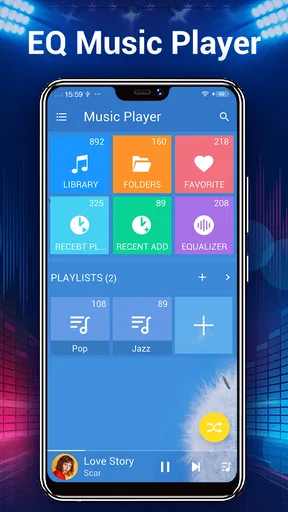
First things first, downloading and installing the Music Player - Audio Player is a breeze. Whether you're on Android or iOS, it’s a quick setup, and before you know it, you're ready to hit play. The app’s interface is sleek and intuitive, with a vibrant look that makes it super easy to navigate. I felt right at home the moment I opened it.
Features that Hit the Right Note
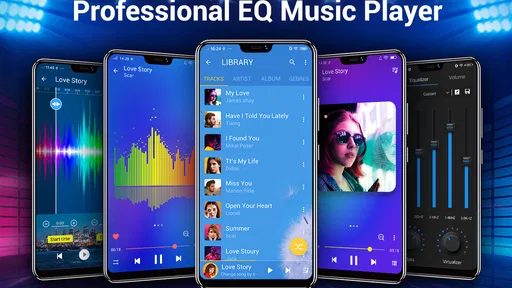
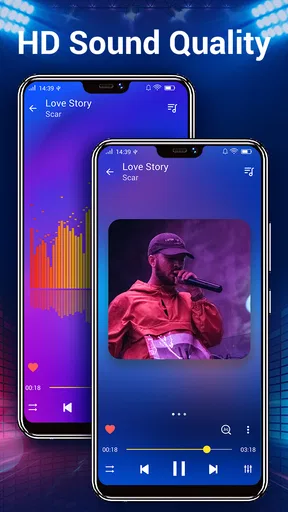
This app is packed with features that make it stand out in the crowded field of music apps. One of my favorites has to be the equalizer. You can tweak the sound to match your mood or the genre you’re listening to. Whether you’re into bass-heavy beats or crisp vocals, the customizable settings have got you covered.
Another cool feature is the ability to create and manage playlists effortlessly. You can drag and drop songs into a playlist, reorder them, and even set a sleep timer. Perfect for those nights when you want to drift off with some soothing sounds.
Compatibility and Performance
Now, let's talk about compatibility. The app supports a wide range of file formats, from MP3 to FLAC, ensuring that whatever your collection looks like, you're good to go. I tested it with various formats, and it played everything smoothly without a hitch.
Performance-wise, the app is a champ. It loads quickly, and I didn’t experience any lag or crashing issues during my time with it. It’s clear that the developers have put a lot of effort into optimizing it for a seamless user experience.
Personal Touches and Customization
What I appreciate most about the Music Player - Audio Player is the level of customization it offers. You can change themes, adjust the layout, and even personalize the background image. It’s these little touches that make using the app feel like it’s truly yours.
And for those of us who love sharing what we're listening to, the app integrates well with social media. You can show off your current jams or playlists with just a few taps. It’s a fun way to connect with friends over music.
Who I’d recommend it to
The app is rated Everyone and costs nothing to try, so it is easy to consider if you want a straightforward player for personal listening. It has a 4.6 average from around 1.6 million ratings, and it has been installed over 100 million times. Those figures suggest it is widely used, but they cannot tell you whether its controls fit your habits; a short hands-on test with your own library is still the better measure.
It is also a sensible candidate for someone who wants playback and sound adjustment together rather than separate tools. The current version is 8.0.9 and requires Android 6.0 or later. I would still check that the edition available for your device matches your platform before planning a switch, and remember that the app’s strengths are most relevant when your music is already accessible to it.
Small habits that make the tools more useful
One practical approach is to start with the sound controls off or near neutral, then adjust only after listening to a whole song. That gives you a reliable reference and makes it easier to tell whether bass boost or an equalizer change actually improves the experience. If you are building a playlist for sleep, keep its mood consistent and test the timer while you are awake; that way, the routine is ready when you are tired rather than becoming a bedtime troubleshooting session.
Playlists can also serve different jobs instead of becoming one long catch-all queue. I find it easier to make a short set for a commute, a longer one for focused work, and a calmer selection for evenings. Reordering tracks matters here: an energetic opener may work on a walk but feel abrupt when you are trying to relax. The player’s playlist tools are most valuable when they reduce those small daily decisions.
One limitation of sound customization is that it can make comparisons misleading. If a track sounds better after changing several controls, you may not know which adjustment helped, and a setting that works with one recording may not suit the next. Change one thing at a time and give your ears a moment to settle. If you prefer an unaltered mix or use equipment with its own sound processing, leaving the player’s adjustments alone may be the cleaner choice.
What to expect before settling in
The app’s large audience and long availability make it a familiar option, but neither popularity nor a polished first impression guarantees that every part of your own routine will transfer neatly. I’d test the basics first: find a track you know well, make a playlist, try the timer, and see whether the sound controls are understandable without repeated fiddling. If those steps feel natural, there is a good chance the player will stay out of your way during everyday listening.
It is not the option I would pick for someone whose priority is music discovery, a synchronized multi-device library, or a deliberately bare interface. In those cases, a streaming-focused service, a music manager, or a simpler playback app may match the job more closely. The distinction is not that one approach is universally better; it is that this player makes the most sense when local listening and hands-on sound adjustments are part of what you want.
Wrapping It Up: A Sound Choice
So, after spending some quality time with the Music Player - Audio Player, I can confidently say it's a must-try for any music lover. It combines functionality with style, offering a robust set of features that cater to all your audio needs. Whether you're a casual listener or a die-hard audiophile, this app has something for everyone.
In a world where music is such a big part of our lives, having a reliable and feature-rich music player is essential. This app doesn’t just play your music; it enhances it. So, why not give it a spin and see for yourself? You might just find your new favorite way to jam.
My recommendation
My recommendation is narrower than “for everyone”: try it if you want a free, customizable way to listen to music you already have, and if playlists, a sleep timer, and sound shaping would genuinely help your routine. Skip it if you mainly want an enormous streaming catalogue, automated discovery, or seamless library management across devices. I like the idea of a player that lets me adjust the listening experience without making those controls mandatory, but the right choice is the one that makes your own music easiest to enjoy.
Verdict
Strengths of Music Player - Audio Player
- Intuitive user interface design.
- Supports a wide range of audio formats.
- Customizable equalizer settings.
- Offline playback capability.
- Minimal battery consumption.
Limitations of Music Player - Audio Player
- Ads can be intrusive at times.
- Limited free version features.
- Occasional lag on older devices.
- No built-in lyrics feature.
- Requires frequent updates.
Other Releases by Mobile_V5
View All
HD Camera for Android
Photography4.6

Beauty Camera: Sweet Camera
Beauty4.6
Similar Picks in This Category
View All
YouTube Music
Google LLC4.4

Samsung Music
Samsung Electronics Co., Ltd.3.8

Spotify: Music and Podcasts
Spotify AB4.3

JioSaavn - Music & Podcasts
Saavn Media Limited4.3

Lark Player:Music Player & MP3
Lark Player Studio - Music, MP3 & Video Player4.6

StarMaker: Sing Karaoke Songs
SKYWORK AI PTE. LTD.4.3
Frequently Asked Questions
What features does Music Player - Audio Player offer?
Music Player - Audio Player offers a variety of features to enhance your listening experience. These include an equalizer with multiple presets, customizable playlists, and support for various audio formats like MP3 and WAV. The app also offers a sleek user interface, sleep timer, and offline playback, making it a comprehensive tool for music lovers.
Is Music Player - Audio Player free to download and use?
The app is free to download and offers a basic set of features at no cost. However, it may include in-app purchases or advertisements. These can be removed by purchasing a premium version, which may also unlock additional features like advanced equalizer settings and ad-free listening.
Can I use Music Player - Audio Player offline?
Yes, Music Player - Audio Player allows offline playback, which means you can listen to your downloaded music without needing an internet connection. This feature is ideal for users who want to enjoy their music on the go, without worrying about data usage or connectivity issues.
How user-friendly is the interface of Music Player - Audio Player?
The interface of Music Player - Audio Player is designed to be intuitive and user-friendly. With a clean layout and easy navigation, users can quickly access their music library, create playlists, and adjust settings. The app also includes features like gesture controls and customizable themes to enhance usability.
Does Music Player - Audio Player support all audio formats?
While Music Player - Audio Player supports a wide range of popular audio formats like MP3, WAV, and FLAC, it may not support every existing audio format. It's advisable to check the app’s specifications to ensure compatibility with your music files, especially if you have less common audio formats.
